
Building Tetris Time with Claude Code
December 30, 2025
5 min read
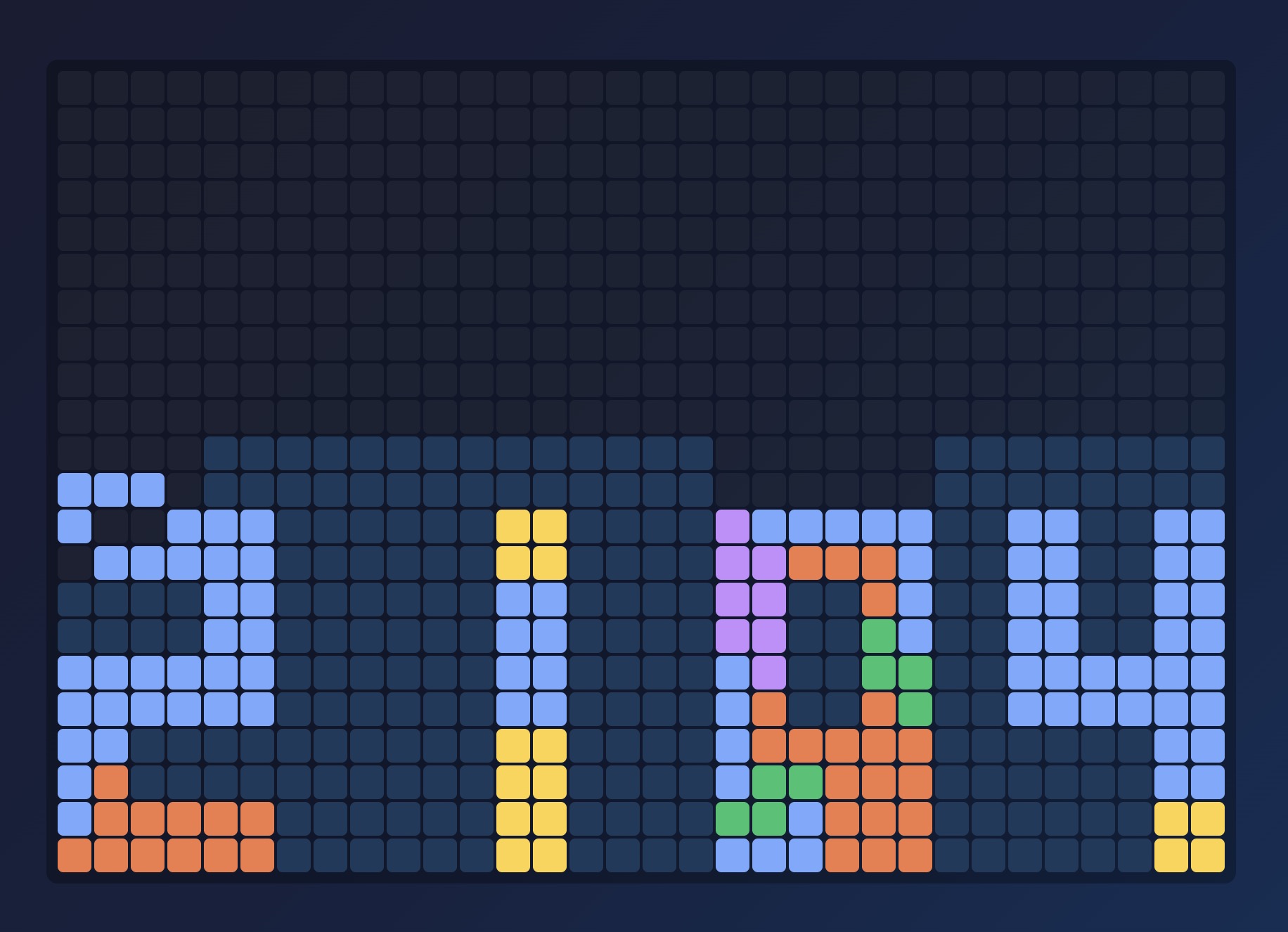
The year is coming to an end and looking back I had a lot of fun building quirky, fun or interesting visualizations. Agentic coding agents have been immensely empowering for me in this. Last year it was "just" autocomplete on steroids, now I feel more like a conductor, directing the agents to go where I please. Often they're super impressive, sometimes they fail miserably at the simplest tasks.
My latest project Tetris Time, is a New Year's countdown clock that uses Tetris to visualize time. Each minute builds from falling tetrominoes following real game mechanics. It took about 100 prompts to get right, but the result captures what I love about building with AI agents: getting to a working prototype of an idea really fast, and being able to iterate on it quickly.
Starting Outside the Code Editor
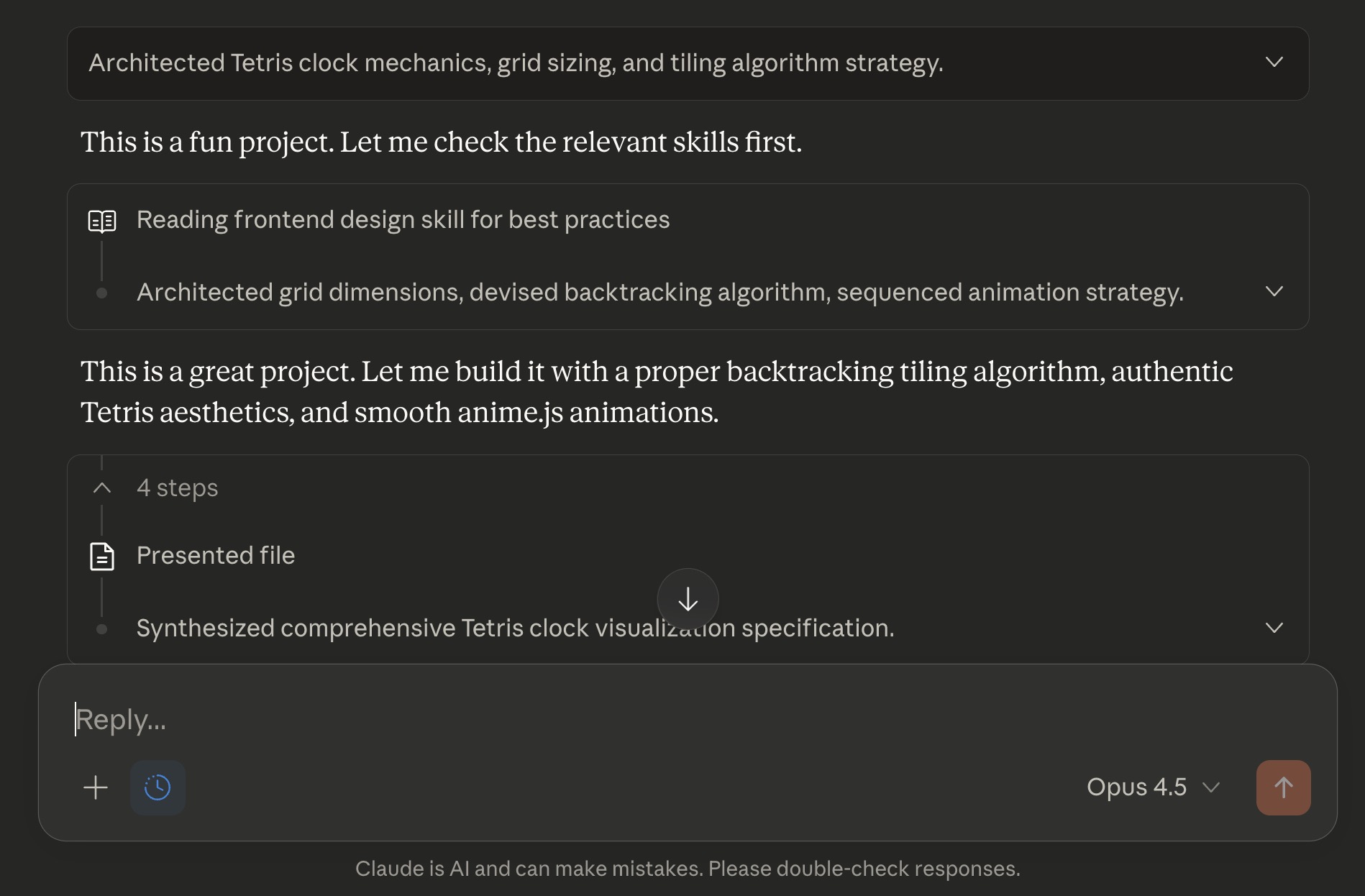
I've learned to prototype and validate ideas outside of the coding environment first, using regular Claude as a sparring partner. This helps me flesh out the idea and discover what's already out there. Often ideas have already been done in some shape or form, sometimes there's even a library available. The result of these sessions is a starting prompt for Claude Code.
Test Driven Still Works Best
What worked really well in this case was using a Test Driven Approach. The core challenge was finding the right algorithm to determine which Tetromino should fall next and where it should land to build readable digits. Regular chat Claude struggled with this, often refusing to obey simple tetris game mechanics or just not showing anything at all (because the algorithm didn't complete). So I asked Claude Code to focus on the algorithm by building tests first.
After getting the tests working and focussing just on that part of the idea, everything went pretty smooth. But even then I still needed many followup prompts to reach the final result, but most if this was more about figuring out what I wanted. Good thing Claude Code doubled the token limits for paying customers during the Christmas holidays.
Plan Mode
After the ideation phase, I start in Claude Code's "Plan Mode". At the start of a project it's important to make sure Claude and I are on the same page about what's going to be built, but also how. In Plan Mode Claude spells this out, showing me the plan with code snippets. It often asks questions about direction, though usually around UI choices rather than architecture decisions.
For difficult parts I try to use text-based output instead of graphical interfaces. In this case the Tetromino positioning algorithm was the tricky part, which is why TDD worked so well. In another project optimizing a local LLM workflow, I started with a CLI tool so Claude could keep optimizing until it worked. The pattern is simple: isolate parts of your code into modules that can be tested independently.
CLAUDE.md
When I'm happy with the core functionality, I write a high level CLAUDE.md (or let Claude write it and I review). It should be short, provide architecture decisions, and avoid implementation details like folder structure. These often change and would make the file outdated fast.
I also include instructions for newer versions of libraries or frameworks that came out after Claude's training data. Things like Node 24 with native TypeScript support, or Tailwind v4 with breaking changes can really trip up Claude. Including these in CLAUDE.md avoids explaining the same thing over and over again.
Here's a short sample of what I included for Tetris Time:
TDD (Test-Driven Development)
Always write tests first:
- Write a failing test that describes the expected behavior
- Implement the minimal code to make the test pass
- Refactor while keeping tests green
Running Tests
npm test # Run all tests (single run) npm run typecheck # TypeScript type checking
Delivering Features
Before completing any feature or bug fix, always run:
npm test- All tests must passnpm run typecheck- No type errors allowed
Fresh Context for Each Feature
Once CLAUDE.md is ready, I start creating new features in new chats. I've recently changed my strategy here. In the past I would try to fill up the context as much as possible, assuming that would make the model more aware of the codebase. While that's still somewhat true, it's not the best approach anymore. Starting with an empty context gets you to the feature faster and with fewer tokens. It also confuses the model less.
Cleaning Up Dead Code
After a couple of features and some backtracking you might end up with dead code or legacy pieces. To fix this I use tools like knip to detect unused exports, run linting and TypeScript checks, and look at code coverage. These automated checks make it easy to keep the codebase clean without manually hunting for orphaned code.
Tracking Prompts in Commits
Something I've started doing in this project is keeping track of prompts in Git commit messages. I added this instruction to CLAUDE.md:
Committing Changes
When the user asks to commit, provide a summary of what you've implemented and a list of ALL user prompts from the conversation as the commit message. Each prompt should be on its own line. Example:
Implemented responsive design for Tetris Time clock display.
Prompts:
- Can you make sure it also displays on mobile and other screen sizes.
- It needs a little more margin on iPhone 12 Pro when in landscape mode.
Co-Authored-By: Claude Code <noreply@anthropic.com>
This creates a helpful log of how features evolved and makes it easier to understand how I'm prompting and guiding Claude.
The Result
The countdown is live at: tetris-time.koenvangilst.nl/?mode=countdown&to=newyear
After New Year's it can also function as a regular clock: tetris-time.koenvangilst.nl
The code is open source and available on GitHub.